SkillSpring for LifeOmic
Designing a unified live learning platform that brings scheduling, video sessions, and payments into one seamless experience.
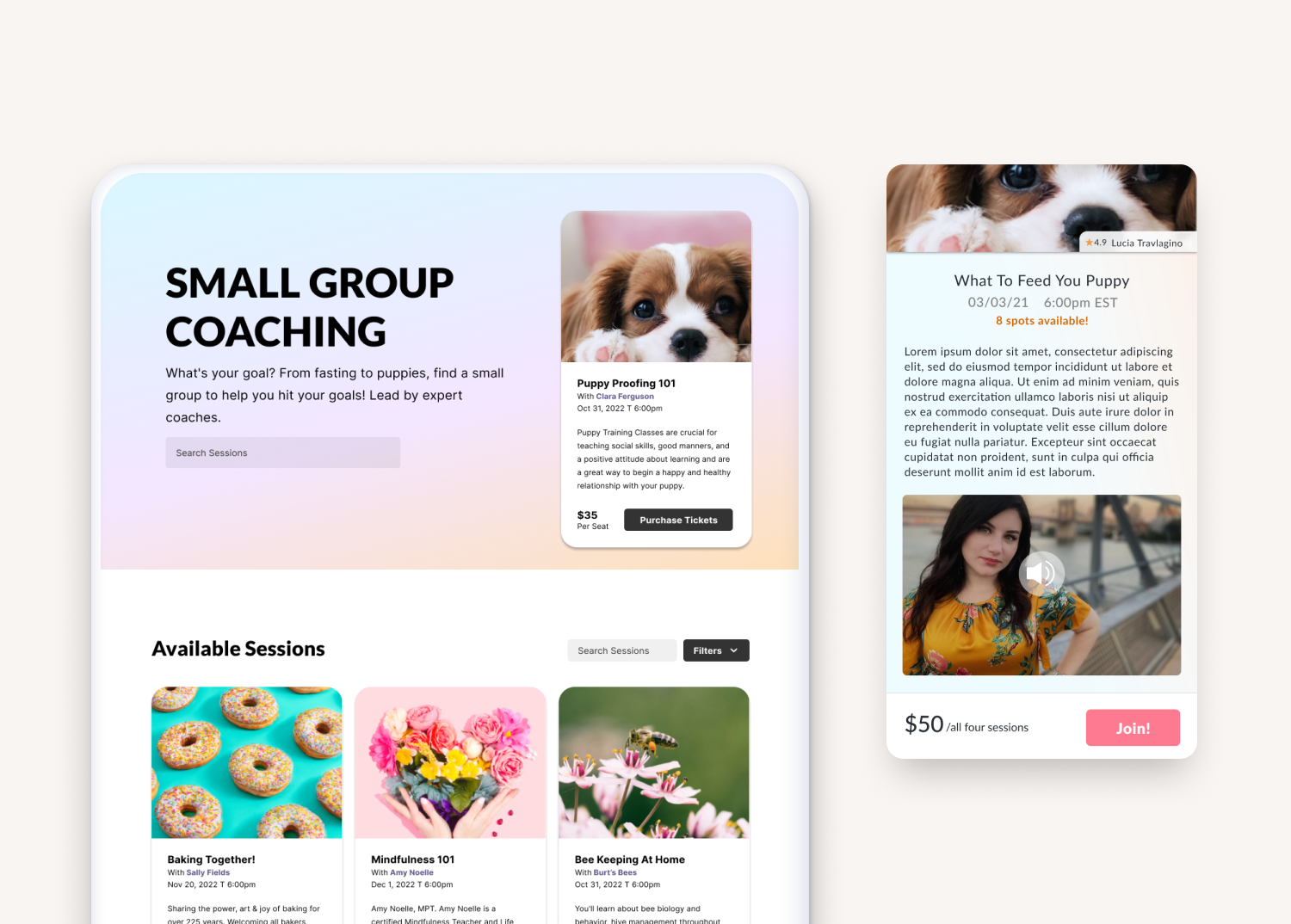
Services: Product Design, Brand Identity
Deliverables: Brand assets + dashboard + widget
Industry: Wellness
Status: Sold, view review at Product Hunt
Intro
SkillSpring is a live learning and mentorship platform designed to connect learners with instructors through one-on-one sessions, group classes, and skill-based coaching. The platform combines scheduling, communication, and payment functionality into a single experience for both learners and instructors.

SkillSpring Products
The Problem
SkillSpring required combining several interconnected systems—live video sessions, scheduling, instructor availability, group learning, and payments—into a single platform.
Without a clear structure, these workflows risked becoming fragmented and difficult to navigate. Learners needed a simple way to find and join sessions, while instructors needed efficient tools to manage bookings and teaching workflows. The challenge was to reduce complexity while supporting both real-time interaction and scalable learning formats.
The approach
I began by mapping the two primary user groups: learners and instructors, to understand their goals, motivations, and friction points. This helped clarify how each group would interact with scheduling, communication, and payment systems.
I then broke the experience down into core workflows: discovering instructors, booking sessions, joining live learning, and managing post-session interactions. By separating these flows, I was able to identify where complexity was creating unnecessary friction.
Working iteratively, I designed a modular system that unified scheduling, live communication, and payments into a single experience rather than disconnected tools. I focused heavily on reducing cognitive load by simplifying multi-step tasks into guided flows and ensuring consistency across 1:1 and group learning experiences.
Collaboration with engineering helped define technical constraints early, especially around video sessions, calendar logic, and payment integration, which informed how flexible or structured each part of the system needed to be.
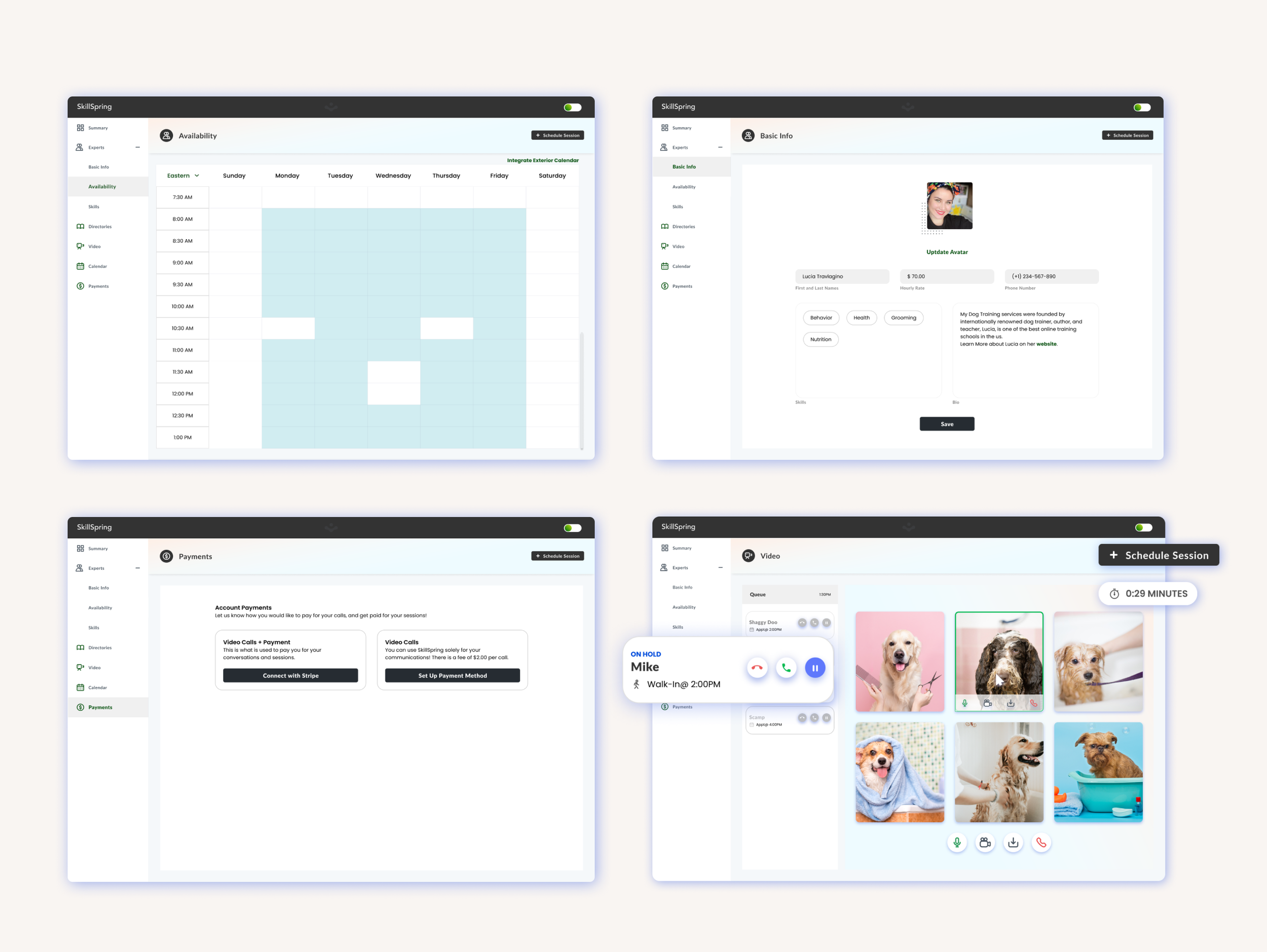
Various SkillSpring Screens: Calendar for both Instructor and Pupils, Payment Screen and Calls Screen
Solution
I designed a unified platform that streamlined scheduling, communication, and payments into a cohesive end-to-end experience.
The system was structured around two primary user flows:
• Learners discovering, booking, and joining sessions
• Instructors managing availability, sessions, and earnings
Key components included:
Live video and call interfaces for real-time learning
Scheduling and calendar booking flows
Instructor availability and queue management tools
Group learning and cohort session experiences
Integrated payment and payout flows (Stripe-based architecture)
The experience focused on reducing cognitive load by breaking complex workflows into guided, step-by-step interactions while maintaining flexibility for multiple learning formats.
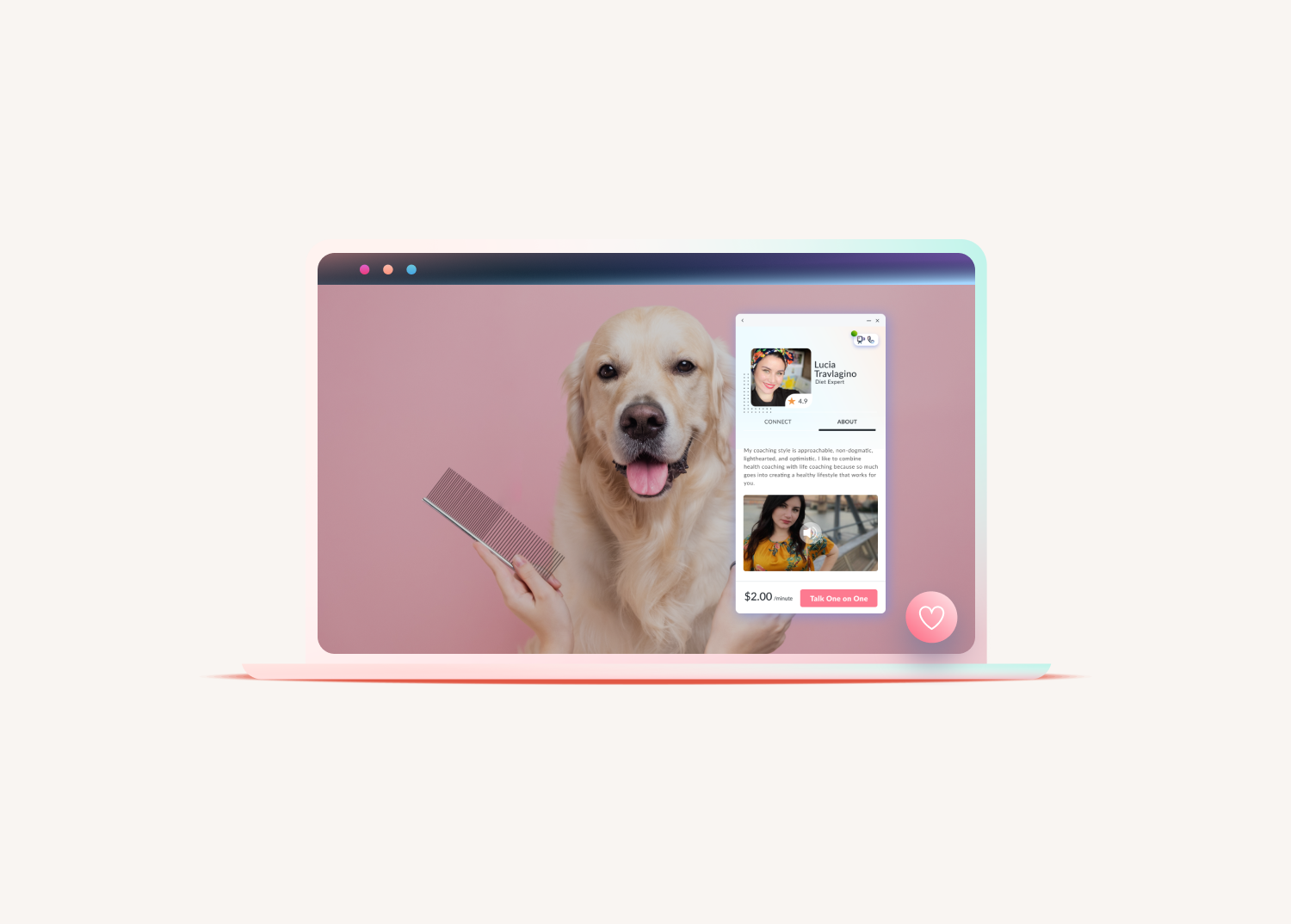
One of two ways to use SkillSpring: Widget within a website, the user can click on the personalized Icon, then connect that way
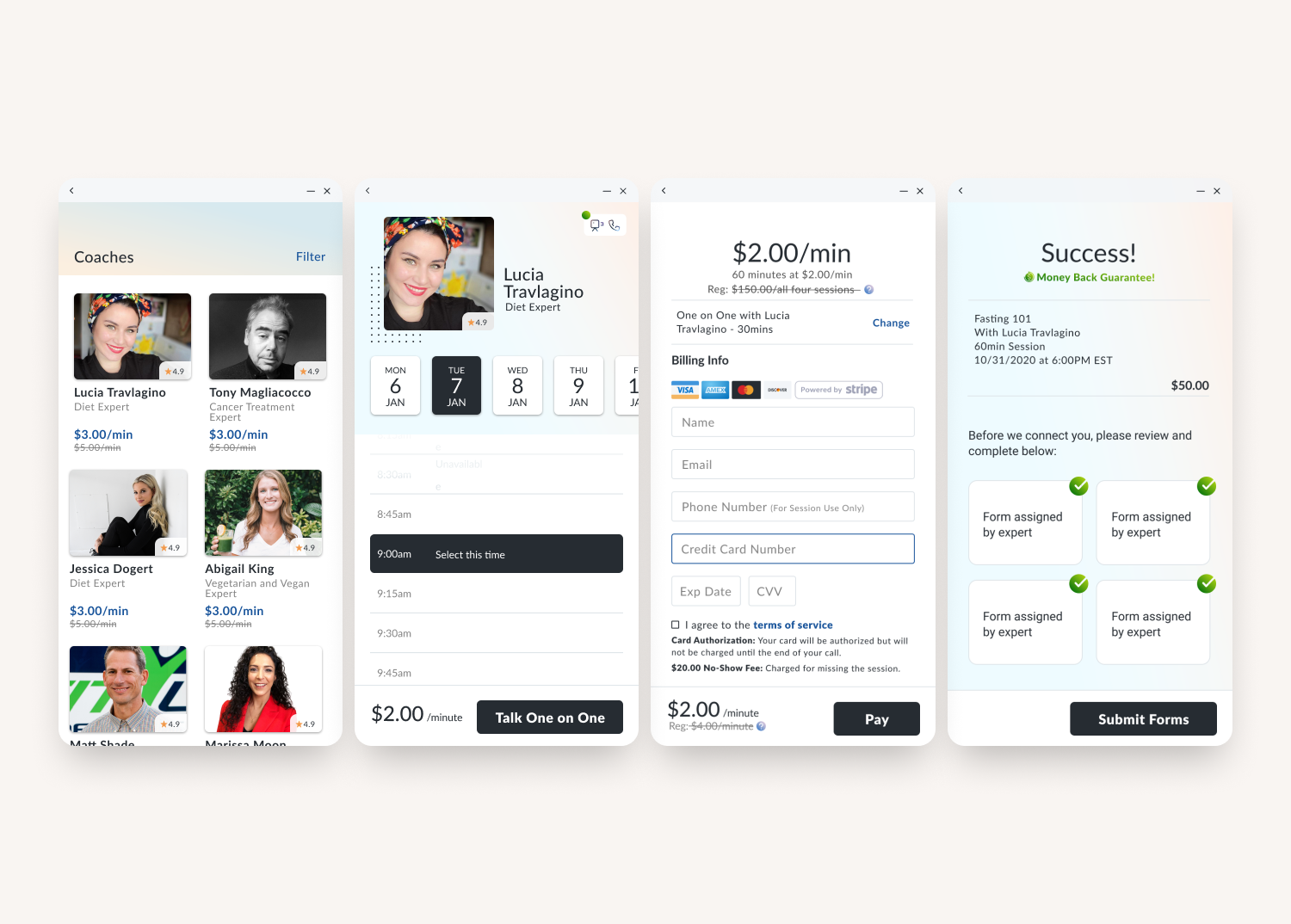
The user can then see all the offerings and select who to connect with, date and schedule
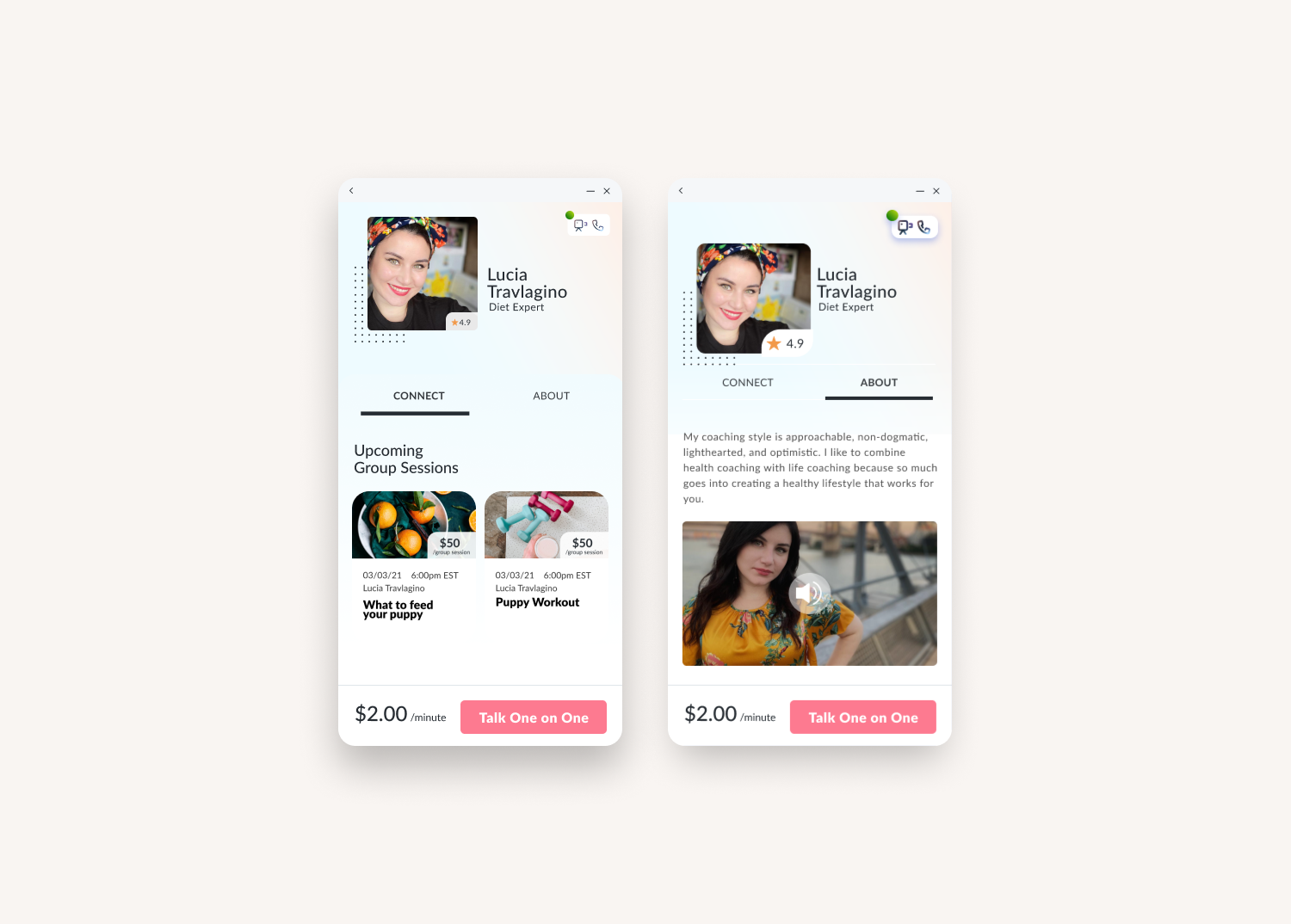
The user can. view information about the expert, view any small sessions they offer, or connect 1:1
Second of two ways to use SkillSpring: Multiple Small Sessions pre-schedueld listed and connect from there
Outcomes
The final design created a cohesive learning platform that allowed users to move seamlessly from discovery to booking to live participation.
Learners could easily find and join sessions without friction, while instructors gained a structured system for managing their teaching workflow. The platform established a scalable foundation for expanding into additional learning models such as cohorts and group-based instruction.
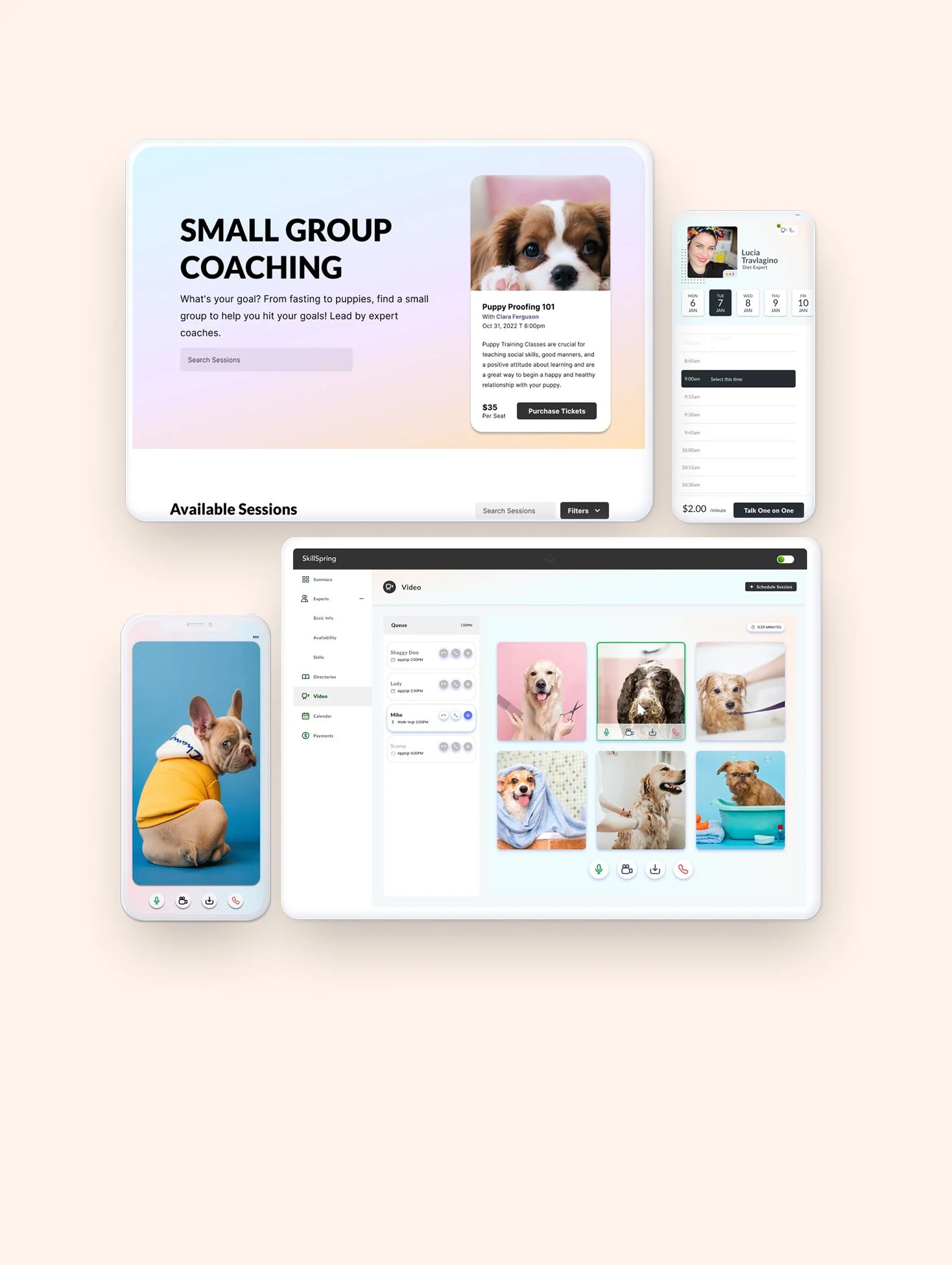
Screens of SkillSpring
Stats
Unified scheduling, communication, and payments into a single platform experience
Designed end-to-end workflows for both learners and instructors
Reduced complexity across multi-step booking and session management flows
Created reusable UI patterns for live sessions, queues, and group learning
Supported both 1:1 and group learning models in one system
Established scalable architecture for future feature expansion